How to Copy an Instagram Link and Save Content Easily
In today’s digital age, social media platforms like Instagram are not just for sharing personal moments but also for discovering inspiring content. Whether it’s a beautiful photo, a captivating video, or a creative post, there are times when you may want to copy an Instagram link and save content for later use or reference. This article will guide you through the process of copying Instagram links, what you can do with those links, and how to save content in a manner that’s both effective and respectful of creators’ rights.
1. Understanding the Basics of Instagram Links
Every post on Instagram has a unique URL or link that you can share. This link directs users to the specific post within the Instagram app or website. Links can be copied for pictures, videos, stories, IGTV content, and more. Understanding how to find and copy these links is essential for anyone looking to save or share content.
2. How to Copy an Instagram Link
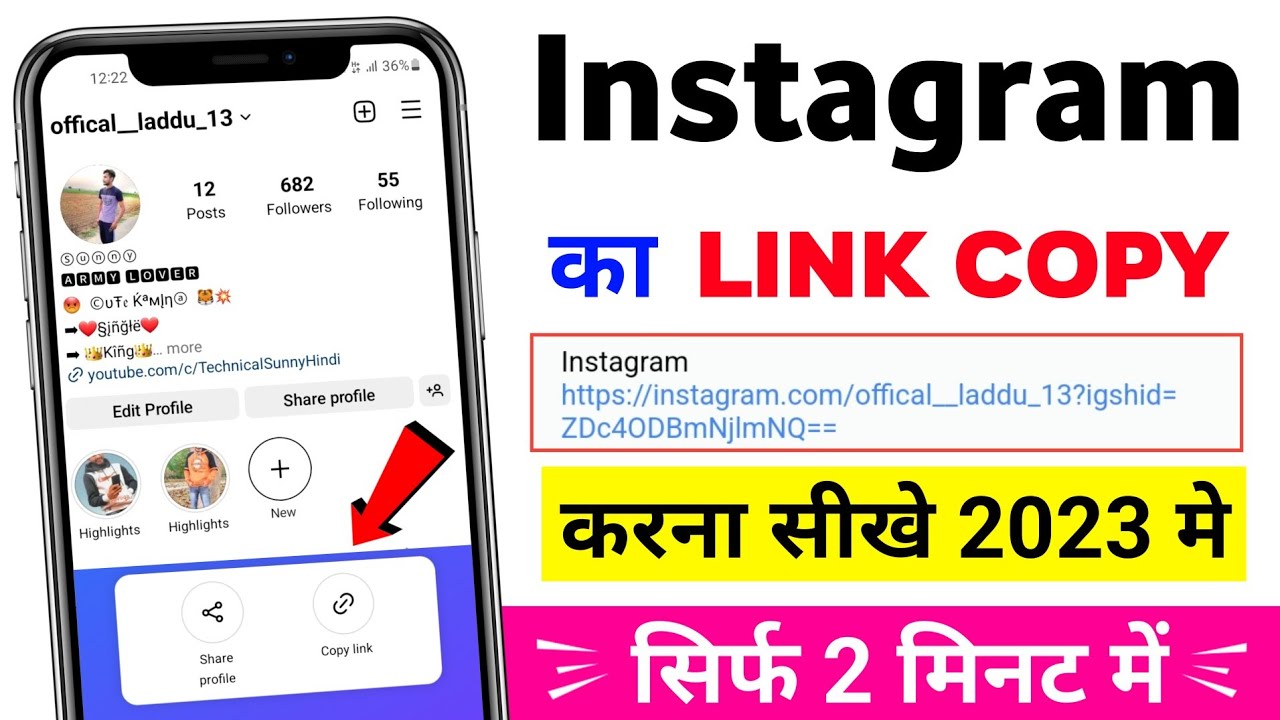
The process of copying an Instagram link is straightforward. Here’s how you can do it on both mobile devices and computers:
On Mobile Devices:
- Open the Instagram app on your mobile device.
- Navigate to the post whose link you want to copy.
- Tap on the three dots (•••) located at the top-right corner of the post.
- Select “Copy Link” from the list of options.
- The link is now copied to your clipboard and can be pasted wherever you wish.
On Desktop:
- Go to the Instagram website and log in to your account.
- Find the post you want to copy the link for.
- Click on the post to open it.
- In the address bar of your browser, you’ll see the URL at the top. Right-click and select “Copy” or use the keyboard shortcut (Ctrl+C on Windows or Command+C on Mac).
3. Using the Copied Link
Once you’ve copied the link, you can share it with friends, use it in essays or posts, or save it for your reference. However, it’s essential to approach content sharing ethically:
- Give Credit: Always credit the original creator when sharing their content.
- Respect Privacy: Share links only when the content is public and intended for sharing.
- Avoid Reposting without Permission: If you intend to repost, ask the creator for permission first.
4. Saving Instagram Content
While copying links is helpful, you might also want to save content directly. There are tools and apps designed to help you save Instagram posts, stories, and videos. Here are some options:
4.1 Using Online Downloaders
Several websites allow you to input the copied Instagram link and download the content directly. Search for “Instagram downloader” on your preferred search engine to find these tools. Be sure to verify their safety and legitimacy before use.
4.2 Using Third-Party Apps
Many applications on both Android and iOS allow users to download Instagram content. Do your research and choose reputable apps with good reviews. Examples include “Repost” and “InstaSave.”
4.3 Bookmarking the Link
A simple way to save content is by bookmarking the copied link in your browser. This method keeps the link handy without downloading the content physically and is a great option for posts you plan to refer back to rather than download.
5. The Importance of Respecting Copyright
As much as you may want to save and share content, it’s vital to keep in mind copyright laws and the rights of content creators. Instagram’s terms of service state that users own the content they create, and sharing it without permission could infringe on their rights.
Always ask for permission before reposting, and consider using options like “Share to Stories” which allow you to share content while giving proper credit.
6. Conclusion
In conclusion, knowing how to copy an Instagram link and save content is a valuable skill in today’s visually driven social media environment. Remember to respect the original creators, use tools wisely, and always consider ethical implications when sharing content. By following the guidelines mentioned in this article, you can enjoy Instagram’s rich content while appreciating the effort of those who create it.